The new tab Sharing functionality on our SML tabs (under settings) allows you to build a template once and then push it to multiple other pages. Admins of those pages will not have access to the code but will be able to customize the assets and configuration for the various feature blocks. Changes to the code of the master page will be automatically pushed to the child pages so they all stay in synch. This tool is ideal for large brands that are managing multiple related pages and tabs.
Use Cases:
- A brand that has 50 tabs in 50 languages and wants them all to look the same but with localized content
- A franchise that wants to allow individual store owners to customize their pages but maintain a consistent style.
- A reseller such as GetSat that wants to build out a standard tab and push it out quickly and easily to a dozen or a hundred or a thousand other brands pages while allowing their clients to customize specific images and text assets.
How to set up Template Sharing
1. Go to settings in your master tab
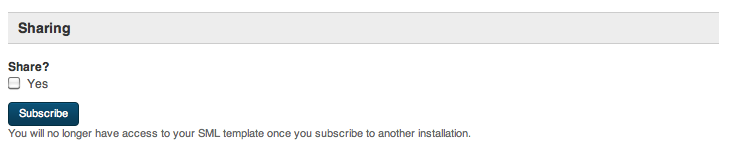
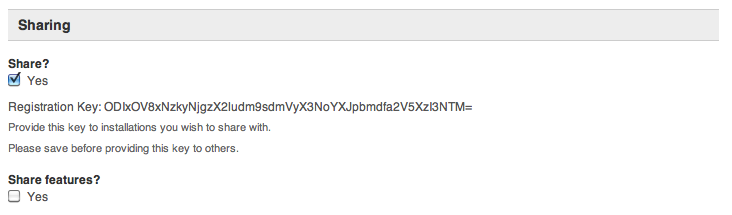
2. Check the box marked "Share? Yes" and copy the registration key.
3. Go to the tab you want to subscribe to your master template and click the button that says "Subscribe" to launch the configuration dialogue. 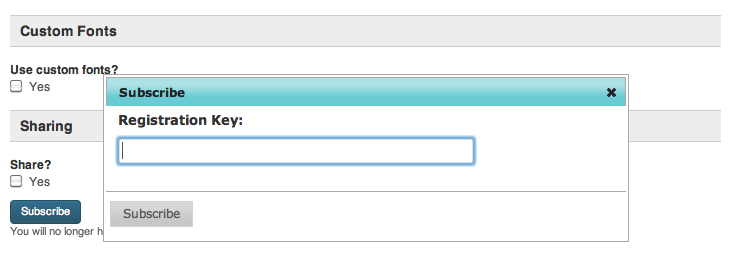
4. Paste in your Registration Key and hit the grey "Subscribe" button. 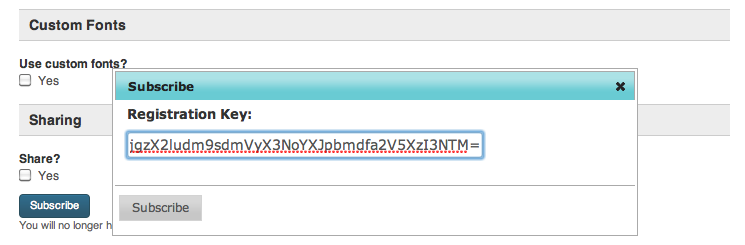
5. Congratulations! You've successfully subscribed this template to the master. Notice that when you go to the "Template" view the SML editor window has been removed so that the SML of the subscribed template cannot be independently edited. Feature block configuration and assets are still available so you can localize this subscribed tab according to whatever parameters were made editable assets on the Master template. 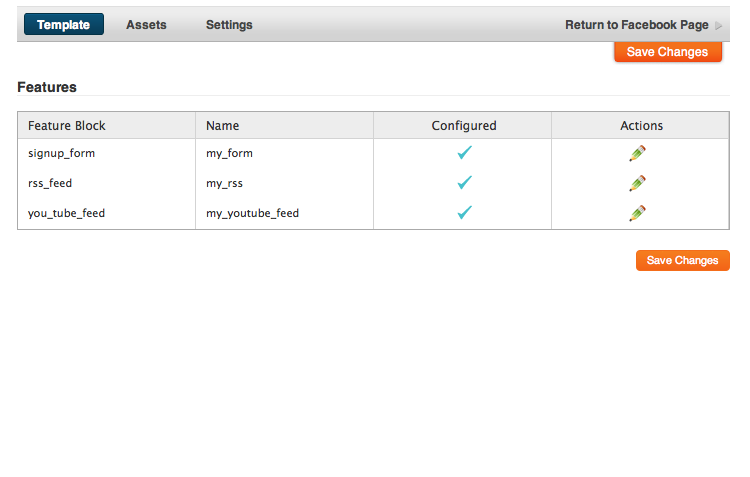
 Screen shot 2011-12-08 at 5.52.52 PM.png (image/png)
Screen shot 2011-12-08 at 5.52.56 PM.png (image/png)
Screen shot 2011-12-08 at 5.53.54 PM.png (image/png)
Screen shot 2011-12-08 at 5.53.58 PM.png (image/png)
Screen shot 2011-12-08 at 6.00.00 PM.png (image/png)
Screen shot 2011-12-08 at 5.52.52 PM.png (image/png)
Screen shot 2011-12-08 at 5.52.56 PM.png (image/png)
Screen shot 2011-12-08 at 5.53.54 PM.png (image/png)
Screen shot 2011-12-08 at 5.53.58 PM.png (image/png)
Screen shot 2011-12-08 at 6.00.00 PM.png (image/png)
